Pin Prospector
A pitch with a map in it: the prospect’s own rankings, ready before your call.
How it works: Pin Prospector
Features · Win new clients
A business owner enters their email, picks their business and up to 3 keywords, and gets a free map scan on a 7×7 grid, as a phone sees Google Maps, with a report under your brand.
You get Leads from your own website, each with a map you can talk through on the call.
1,000 free credits, no card · valid for 30 days
Last updated · Written by the Local Pinmeter team in Phoenix, Arizona
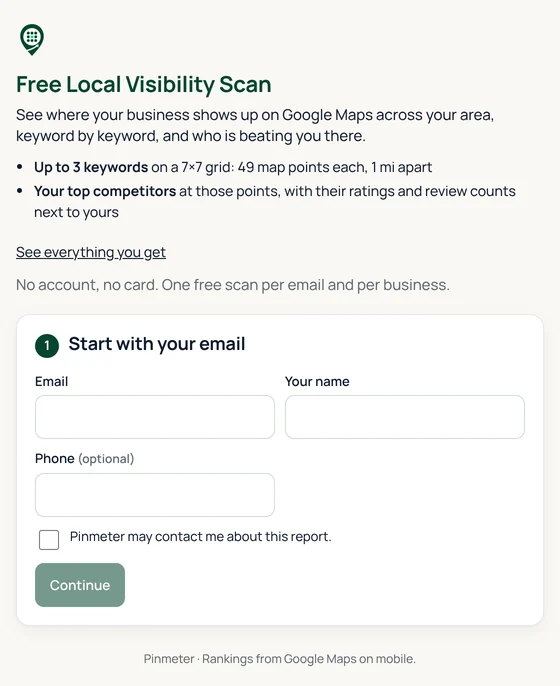 (opens full size in a new tab)
How it works
You get a lead to follow up, with your booking link at the end of every report.
After setup: follow up. Each lead lands on your LeadPin leads page with its scan, report link, consent and source. Mark it Contacted, Qualified, Call booked, Won or Lost.
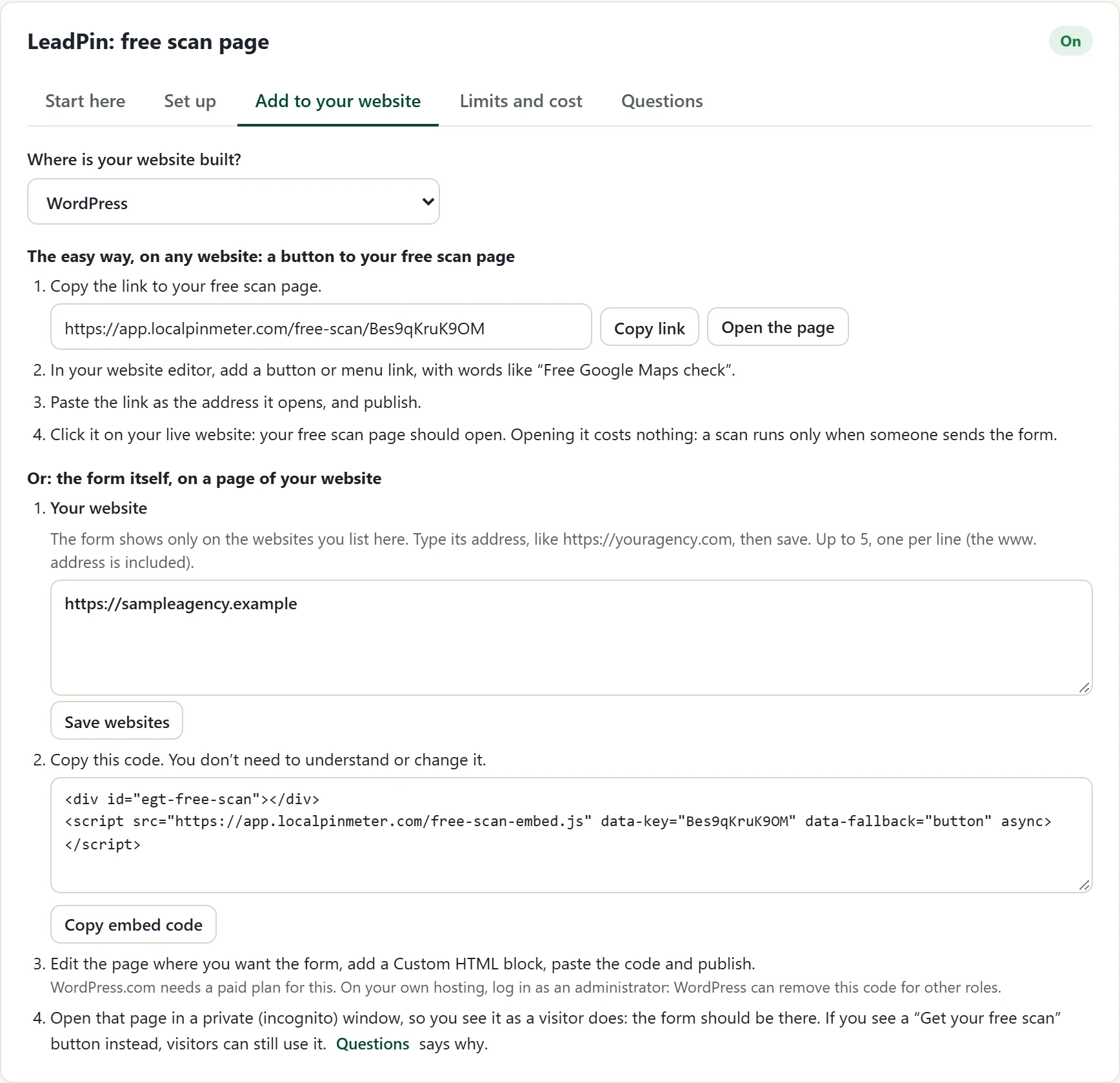 (opens full size in a new tab)
 (opens full size in a new tab)
In detail
What it costs
A lead with 3 keywords on a 7×7 grid uses 3 × 49 = 147 credits; fewer keywords use fewer. The page itself costs nothing, and your monthly limit caps the spend.
Scans use 1 credit per pin, for each keyword; a Live scan, the faster choice under Advanced, uses 2.5.
Work out your credits · Plans and pricing
1,000 free credits, no card · valid for 30 days
What sets it apart
| What matters | A plain contact form | Local Pinmeter |
|---|---|---|
| What the visitor gets | A promise that someone will be in touch | A real map of their own rankings, up to 3 keywords, under your brand, by email, with your booking button |
| What you get | A name and an email | The lead with the consent they gave, where they came from (Google Ads, Meta or the tags on your own links), their scan and report, and a status you update |
| Spam and abuse | Whatever bots send | A bot check with nothing to set up, one free scan per email and per business, and per-day and per-month limits you set |
| Your opening line | “Thanks for reaching out” | Their own map: where they win, where they lose and who outranks them |
LeadPin uses your credits for each free scan, within the limits you set.
FAQ
Yes. Linking any button to your hosted LeadPin page works on every website, including Wix and GoDaddy. To show the form directly inside a page, paste the embed snippet into a Custom HTML block on WordPress, an Embed element on Webflow, a Code block on Squarespace, or a Custom Liquid section on Shopify.
About 147 credits with 3 keywords, from your own credits. A monthly limit, 30 by default, caps how many free scans run.
Nobody else gets them. A lead is saved in the workspace that owns the page, and only the people on your team who see that business are told. It never goes to another agency, EDGE Salon & Spa Marketing included. EDGE is owned by the same founder as Local Pinmeter. What that means for your data.
No. Each email and each business gets one free scan, and a bot check blocks automated sign-ups.
One email with a private link to their report: their map for each keyword, the businesses ahead of them, the market analysis with how many of the top-3 spots are theirs, and your booking button.
Yes. A lead’s scan is a prospect’s scan, so you can add a proposal: your packages and prices, proof from your clients and a “Let’s talk” button. It ends the report link you send from that scan, and its PDF, not the free-scan page the lead got by email.
Trust every pin.